Quick Case Finder Find the Right Specialty Cases Tell us what you need to match. Only search paths supported by Specialty Cases products are shown. Open FinderClose
Specialty Cases
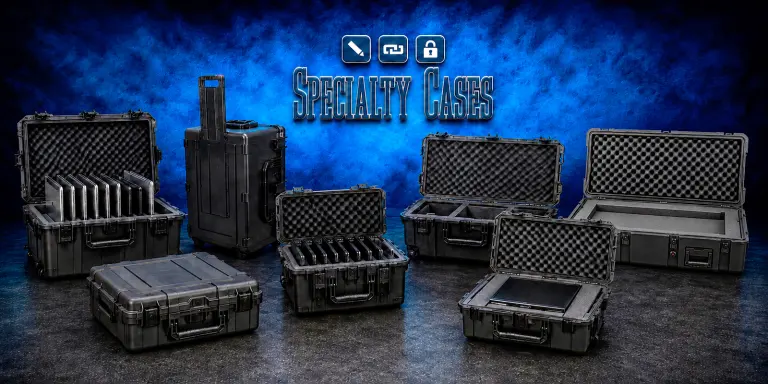
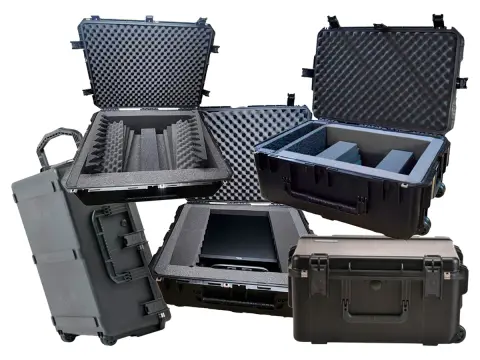
Multiple laptop and iPad cases, flat screen transport cases, and server shipping cases built for business, education, IT, AV, deployment, and repeat-use transport needs.
Specialty Cases
Business, education, IT, and deployment transport solutions
IT deployments, server transport, and display protection.
Education & IT Deployments • Server Transport • AV & Display Protection • Repeat-Use Equipment Programs
Choose by equipment type, quantity, dimensions, mobility, and deployment workflow.
Specialty Cases for Screens, Servers, and Device Applications Application-focused transport solutions built around real equipment programs. Protect and move laptops or iPads, ship server hardware, and transport flat screens for repeat storage, deployment, and redeployment.
Application-focused protective transport
Specialty Cases for Device Fleets, Servers, Displays, and Repeat Deployments
These product lines are organized around defined equipment programs rather than generic case dimensions alone. Start with the equipment type—multiple laptops, multiple iPads, servers, or flat screens—then compare quantity, usable dimensions, handling frequency, mobility, storage, interior protection, and redeployment requirements.
Shop Specialty Cases Products
Shop Specialty Cases Product Categories
Choose the category that matches the equipment program first. Each category is designed around a different operational need, from moving groups of mobile devices to transporting servers and displays or supporting existing Specialty Cases products.
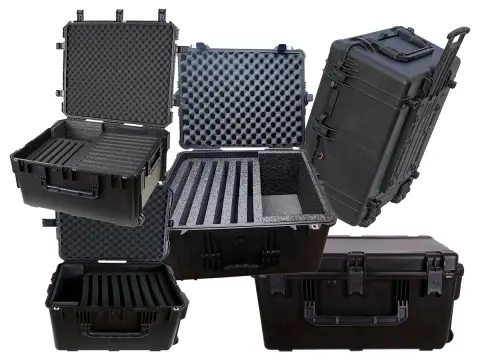
Heavy-duty multi-device transport cases for organizing, protecting, storing, and moving groups of laptops in education, training, IT, field, and deployment programs.
Best for: Schools, training teams, IT departments, testing programs, and field operations moving several laptops at once.
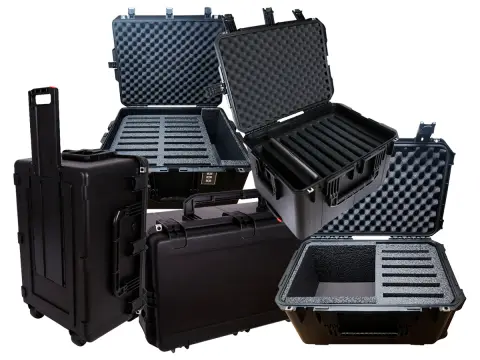
Rugged server transport cases for protecting valuable server hardware and related IT equipment during relocation, staging, storage, deployment, and shipment.
Best for: Data-center moves, IT staging, server deployment, relocation projects, and repeat transport of critical hardware.
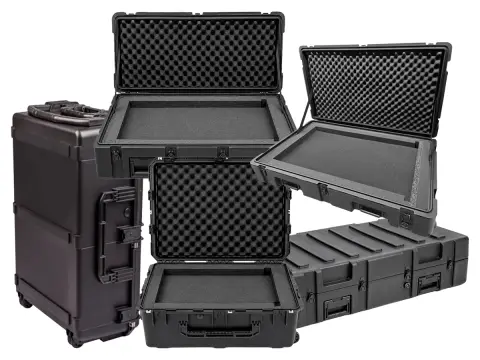
Protective transport cases for monitors and displays used in AV, events, education, corporate presentations, installations, and repeat-use screen deployments.
Best for: Flat screens and monitors that need safer transport, storage, setup, mobility, and repeated handling.
Which Specialty Cases Category Fits Your Equipment?
Start with what you are moving and how many items must travel together. Then refine by dimensions, protection, organization, mobility, shipping frequency, storage, and the number of times the equipment will be deployed and repacked.
Built Around Business, Education, IT, AV, and Field Workflows
Specialty Cases product lines are most useful when equipment is valuable, operationally important, moved in groups, or repeatedly packed, stored, transported, and redeployed.
Education and Training
Multiple laptop and iPad cases support classrooms, testing programs, mobile labs, training departments, and temporary technology rollouts.
IT and Technical Operations
Server cases and multi-device solutions support staging, relocation, field deployment, temporary infrastructure, storage, and repeat technical movement.
AV, Events, and Presentations
Flat screen cases help protect displays used in events, education, trade shows, corporate presentations, installations, and mobile AV programs.
Selection guide
How to Choose the Right Specialty Case
The equipment type determines the case type, but fit and workflow determine the final case. Capture the dimensions, quantity, loaded weight, handling frequency, storage environment, mobility, and interior protection requirements before choosing a model.
1. Start With Equipment Type and Quantity
Identify whether the program involves laptops, iPads, servers, displays, or an existing Specialty Cases product that needs compatible support items.
2. Confirm Fit and Mobility
Check usable equipment dimensions, device count, loaded weight, wheels, handles, screen or server geometry, and the clearance required for protective foam or organization.
3. Plan for Repeat Use
Consider packing speed, storage, shipping, redeployment, replacement items, and how frequently the case will move between classrooms, offices, events, jobsites, or technical environments.
Specialty Cases FAQs
Common Specialty Cases Questions
What products are included under Specialty Cases?
The Specialty Cases selection is organized into five main categories: Multiple Laptop Cases, Multiple iPad Cases, Server Shipping Cases, Flat Screen Cases, and Specialty Case Accessories.
What is the difference between Multiple Laptop Cases and Multiple iPad Cases?
Both categories support multi-device programs, but the interior geometry and organization are built around different device formats. Start with the device type, then compare model dimensions, device count, protective spacing, mobility, and deployment workflow.
Which category is best for server hardware?
Server Shipping Cases are the correct starting point for servers and related IT hardware that need protection during relocation, staging, storage, deployment, or shipment.
Which category should I use for displays and monitors?
Flat Screen Cases are the appropriate starting point for monitors, AV displays, presentation screens, event displays, and other flat-panel equipment that needs repeat transport and storage protection.
Can Specialty Cases help with larger deployments or project quantities?
Yes. Share the equipment type, dimensions, quantity, device count where applicable, handling environment, mobility requirements, deployment schedule, and storage needs so the team can help narrow the right case path and quote requirements.
Project and procurement support
Specialty Cases Selection, Deployment, and Quantity Support
Narrow the category by laptops, iPads, servers, displays, or compatible support items before comparing exact model dimensions and configurations.
Deployment and Quantity Guidance
Match case format to device count, screen or server dimensions, handling frequency, storage space, mobility, rollout schedules, and multi-unit purchasing requirements.
Use this comparison to choose the correct application path, then narrow the final case by dimensions, quantity, mobility, interior protection, storage, and deployment frequency.
Swipe horizontally to compare Specialty Cases categories.
Specialty Cases comparison by equipment program, best starting point, and category link.
Category
Transport focus
Best starting point for
Shop
Multiple Laptop Cases
Multi-device laptop transport and storage
Schools, training, IT, testing, field teams, and laptop deployment programs.
The equipment type and quantity determine the right category before exact case dimensions and configurations are compared.
Plan for Handling and Redeployment
Loaded weight, mobility, packing frequency, storage, shipping, and repeat deployment determine how well a case fits the operating workflow.
Finish With Fit and Support
Device count, usable dimensions, protective foam, replacement items, and project quantities determine the final model and purchasing path.
Need Help Choosing the Right Specialty Case?
Share the equipment type, dimensions, quantity or device count, loaded weight, mobility needs, storage and deployment workflow, interior requirements, and project timing. Our team can help narrow the right category and configuration.