Use this guide when
- Standard products
- Custom interiors or cases
- Purchase order or terms account
- Specified documentation
items

Protective case planning guide
Plan case purchases for agencies, schools, companies, and repeat programs. Connect the equipment specification with quote details, approval steps, documents, and delivery requirements.
Order, shipping, or return questions? Visit the Help Center.
Have these ready
Is this guide for you?
Common use cases
Compare the situations below and check the details that matter for your equipment and handling route.
Model, interior option, quantity, and availability Confirm the selected configuration on the quote.
Approved drawings or layout and production scope Agree on approval responsibilities and delivery timing.
Account setup and credit review Purchase orders and Net 30 terms are subject to approval.
Exact product and vendor documents required Request applicable evidence; do not infer compliance from a general category label.
Selection details
| Your situation | What to compare | Before you choose |
|---|---|---|
| Standard products | Model, interior option, quantity, and availability | Confirm the selected configuration on the quote. |
| Custom interiors or cases | Approved drawings or layout and production scope | Agree on approval responsibilities and delivery timing. |
| Purchase order or terms account | Account setup and credit review | Purchase orders and Net 30 terms are subject to approval. |
| Specified documentation | Exact product and vendor documents required | Request applicable evidence; do not infer compliance from a general category label. |
Step by step
Follow these steps before comparing final case configurations or requesting a quote.
Include equipment details, handling, interior, quantity, and any required product documentation.
Identify mandatory requirements and acceptable alternatives. Provide destination and required delivery date.
Confirm vendor onboarding, purchase order details, and any credit application needed.
Check the exact configuration before ordering. Keep the approved specification for receiving and future requests.
Recommended starting points
Use these as starting points; confirm dimensions, interiors, handling, and model specifications before ordering.
Send the equipment and purchasing requirements.
Browse formal quoteApply for an approved terms account.
Browse credit applicationRead current ordering and support information.
Browse help centerSelection checklist
Have these details ready before comparing cases or requesting a quote.
Procurement support
Review quote requirements, approved terms, and vendor documents before submitting your order.
Include equipment details, quantity, destination, and delivery date. Purchase orders are subject to account approval.
Approved organizations may apply for Net 30 terms, subject to credit review.
Use the current business forms required for your vendor file.
Additional guidance: Organizational purchasing and preparing a quote request.
FAQs
For orders, shipping, and return policies, visit the Help Center.
Use the credit application at /credit-request-form. Terms are available to approved accounts.
Use the Help Center for current order, shipping, return, and warranty information. Review the policies applicable to the selected stock or custom configuration.
Ask to retain the approved case and interior specification. Confirm availability and any revisions when placing the next order.
Send your equipment list, dimensions, accessories, quantity, intended use, and delivery date. We will help compare cases and interiors and prepare a quote.
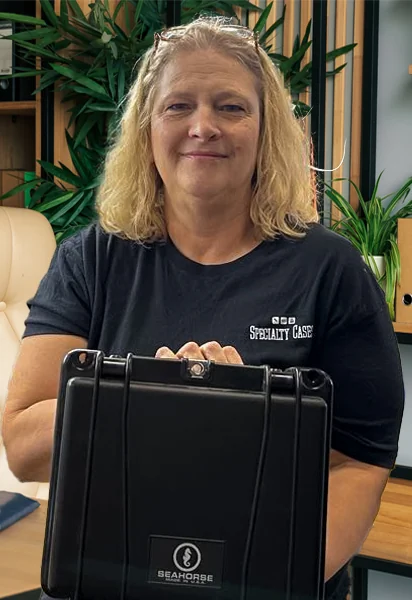
Tell us what you’re trying to protect (dimensions, weight, use-case) and we’ll help you pick the right case.
Checking availability…
Would you like us to check stock for a specific case?
Send the product and quantity. We’ll confirm availability, lead time, and practical alternatives.
Send a message and our team will follow up by email.