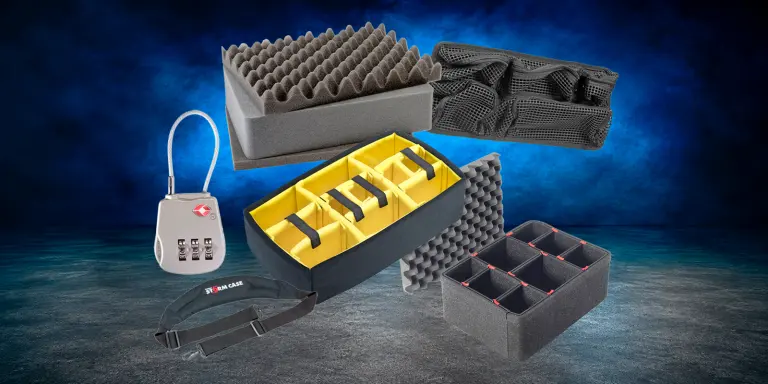
Find Pelican case accessories to refresh interiors, organize equipment, and adapt compatible cases, including Pelican Storm models, to your needs. Explore replacement foam, padded dividers, TrekPak dividers, Re-Set kits, organizers, locks, wheel kits, shoulder straps, panel frames, bezel kits, and other accessories. Choose by case series and exact model to find the right fit for your storage, transport, or equipment installation requirements.
Pelican Case Accessories
Pelican Accessories to Configure, Organize & Upgrade Your Case
Refresh your case interior, organize small accessories, improve carrying convenience, or prepare a panel installation with accessories selected for your equipment and application.
Start with your Pelican case series and exact model. Then confirm accessory fit, included components, and installation requirements.
Accessory Items for Pelican Cases Configure and maintain compatible Pelican cases with interior systems, organizers, carrying and security accessories, and panel mounting options. Match each accessory to your case series and model to build the setup your equipment needs.
Pelican Accessories
Interiors, Mounting, and Hardware for Pelican Cases
The shell is the part you no longer have to think about. The interior is where the decisions are: how the equipment is held, whether that layout can be changed later, and what happens when the case has to be wheeled, carried, mounted into, or checked as baggage. Work out the interior first, then add the hardware around it.
Accessory categories
Shop Pelican Accessories by Category
Foam sets, divider systems, and mounting hardware are made for specific Pelican case models, so have your case number to hand before you start. Storm case parts sit in these same categories rather than in a section of their own.
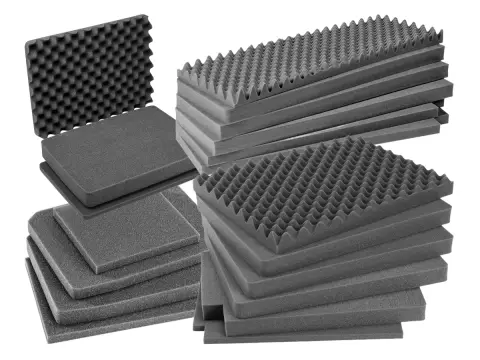
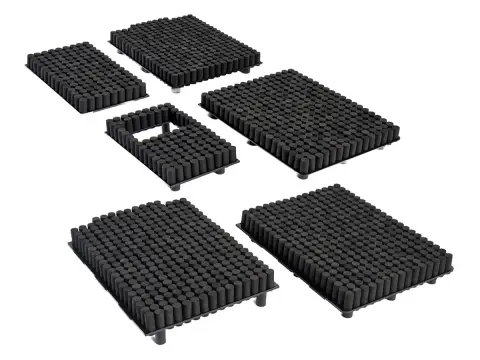
Multi-piece sets cut for one case model: convoluted foam for the lid, a solid pad for the base, and pre-scored pluck layers between them. Pelican and Storm sets are listed together.
Best for: Replacing crushed, torn, or contaminated foam, and cutting a fresh layout for equipment the case was not bought for.
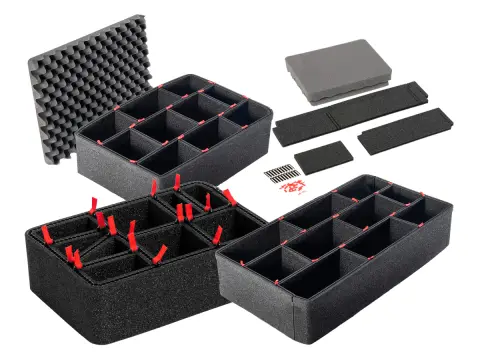
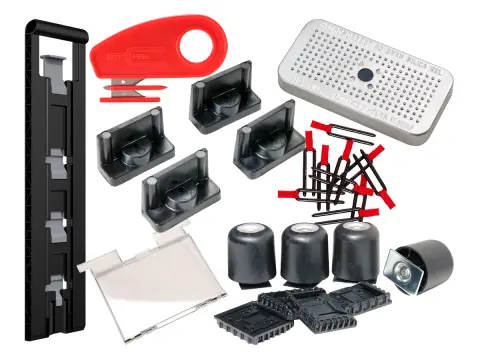
Rigid panels trimmed to length with the supplied cutting tool and locked together with steel pull pins, giving flat vertical walls between compartments.
Best for: Dense camera, optical, and tool layouts where soft walls let heavy items lean into each other.
These are the situations that come up most often, and the solution that answers each one.
The Foam Is Crushed or Torn
Order Replacement Foam cut for your case model and start the layout again from fresh pluck layers.
Compartments Have to Move
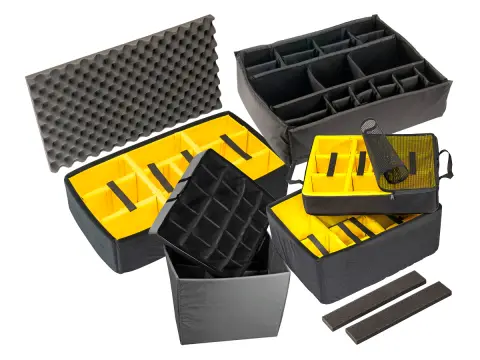
Use Padded Dividers so the interior follows the kit list instead of being cut for one version of it.
Heavy Items Lean Into Each Other
Use TrekPak Dividers for rigid walls that hold their shape under load instead of flexing against the gear.
Several People Pack the Same Case
Use Re-Set Kits, where pegs come out for an item and press back in when the layout is wrong.
Cables End Up Loose on Top
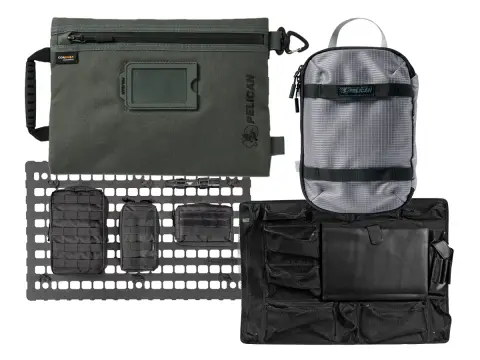
Add Organizers to move leads, adapters, and paperwork into the lid or into pouches of their own.
Equipment Has to Be Mounted In
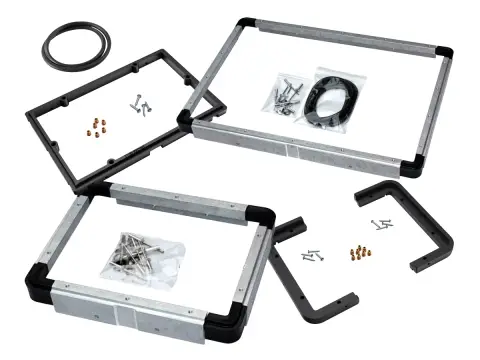
Use Panel Frames and Bezel Kits to fit a faceplate rather than packing a system loose and unpacking it on site.
Selection guide
How to Choose a Pelican Accessory
Start With the Case Number
Foam sets, divider sets, and most hardware are made for one model. A case of similar external size is not a substitute. Check the number moulded into your case before ordering anything on this page.
Decide How Permanent the Layout Is
Plucked foam and cut TrekPak panels do not go back. Padded dividers move freely, and Re-Set pegs push back in. Pay for reversibility only if your equipment list genuinely changes.
Check What the Set Includes
Some interiors replace everything in the case, others fit the base and assume the lid foam stays. Confirm which pieces are in the set so you are not left with a base solution and a worn lid.
Measure Your Tallest Item
Depth is the constraint people miss. Check the deepest piece of equipment against the usable depth of the base, especially if a lid organizer is going in above it.
Confirm Bolt-On Hardware Fits
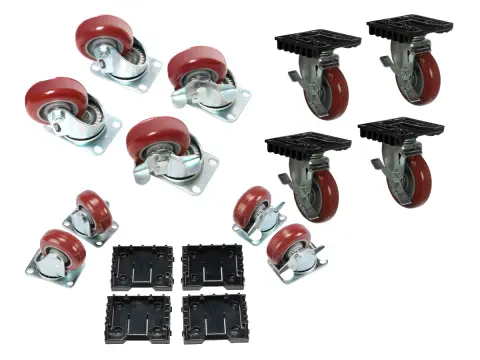
Wheel kits, panel frames, and strap attachment points vary from model to model, and Storm cases take parts of their own that do not interchange with the rest of the range. Check compatibility before ordering anything that gets fixed to the shell.
Standardize Across a Fleet
If several people carry the same kit, identical interiors make handovers and inventory checks far quicker, and a missing item obvious at a glance.
Case model decides what fits. How often your kit changes decides which interior is worth paying for.
Pelican Accessory FAQs
The questions that come up most when people are outfitting a Pelican case.
Foam, padded dividers, TrekPak, or a Re-Set kit: which interior should I choose?
Foam gives the tightest fit for the least money, but the layout is permanent once plucked. Padded dividers cushion an item on every face and reposition freely, at the cost of a little usable volume and a higher price. TrekPak gives rigid, flat-walled compartments that hold their shape under a loaded case, which suits dense camera, optical, and tool layouts, but the panels are cut to length and cutting is one way. Re-Set kits are the only fully reversible option: pegs pull out where an item sits and press back in when the kit changes. The deciding questions are how settled your equipment list is and whether your items want soft separation or hard walls.
I have a Storm case. Are its parts on this page?
Yes. Storm foam sets, bezel kits, straps, and lid stays are listed inside these same categories rather than in a separate Storm section, so start from the category you need and match on your case model. What has not changed is compatibility: Storm interiors and hardware are made for Storm cases and do not interchange with the rest of the Pelican range, and the reverse is equally true. If you are not sure which family your case belongs to, check the model marking on the shell or send us a photo and we will identify it before anything ships.
Once TrekPak panels are cut, can I change the layout?
Partly. The pins pull out, so panels can be rearranged into any layout the lengths you already cut will allow, and a panel can always be shortened. It cannot be made longer. Dry fit the equipment, mark the panel positions, and cut the longest divisions first. If the kit list is still settling, order spare panel stock and pins at the same time so a later change does not mean waiting on a delivery.
What do panel frames and bezel kits actually do?
They supply the frame, gasket, and fixings needed to mount a faceplate or control panel into a case, so a system can be operated with the case open instead of being unpacked and rigged on site. Cutting a case for a panel is not reversible and changes how the case seals, so work out the panel dimensions, the depth behind the panel, and the clearance when the case closes before any cutting starts. Send us the panel drawing and the case model and we will check the kit against it.
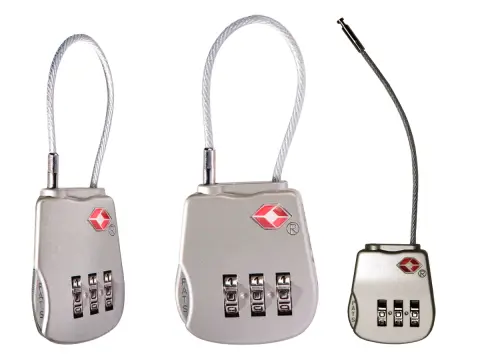
Are TSA locks actually secure?
They are travel hardware rather than high security. TSA-recognized locks can be opened by screeners with a master key, which is the point: a checked case is inspected and relocked rather than cut open. They deter casual tampering and keep a case closed through handling, but they are not the answer for protecting high-value contents against a determined attempt. For that, talk to us about cases with lockable latch systems and about how the case is handled in transit.
Can Specialty Cases help me specify an interior?
Yes. Send your case model number, the dimensions and weights of what you need to pack, and how often the kit changes. We can recommend an interior, flag anything that will not clear on depth, and price it across a fleet if you are outfitting more than one case. If no stock set suits the equipment, we can quote foam cut to your own layout instead.
Dealer support
Interior Planning Support From Specialty Cases
We have been specifying protective cases and interiors since 1989. Send us the equipment and we will help you get the interior right the first time, rather than after a foam set has already been cut.
Fit and Depth Checks
Send your case model and item dimensions and we can confirm what will clear before anything ships.
Stock and Quote Support
Request a quote for availability and quantity pricing when outfitting more than one case.
Custom Foam Options
If no stock interior suits the equipment, ask about custom foam cut to your own layout instead.
Accessory comparison
Compare Pelican Accessory Categories
What each category does and when it is the right call.
Swipe horizontally to compare all options.
Pelican accessory categories by what they do, when they suit, and shopping path.
Category
What it does
Choose it when
Shop
Replacement Foam
Lid, base, and pluck layers cut for one case model.
The foam is worn out, or the kit is fixed and you want the tightest fit for the least money.
A case protects only as well as its interior. Items that shift against each other in transit are the ones that come out damaged.
Faster Packing and Checks
When everything has a fixed position, packing is quicker and a missing item is obvious before you leave rather than after.
A Case Kept In Service
Replacing foam, a caster, or a strap costs a fraction of replacing the case, and keeps a standardized fleet standardized.
Need Help Choosing a Pelican Accessory?
Send your case model number, the dimensions and weights of what you pack, and how often the kit changes. We will recommend an interior and flag anything that will not clear on depth.