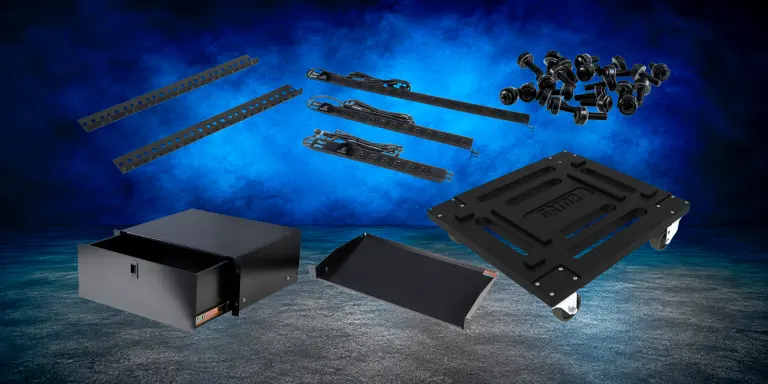
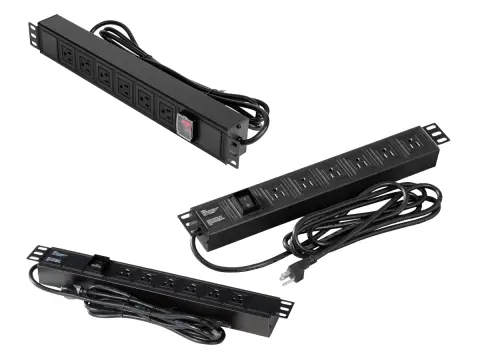
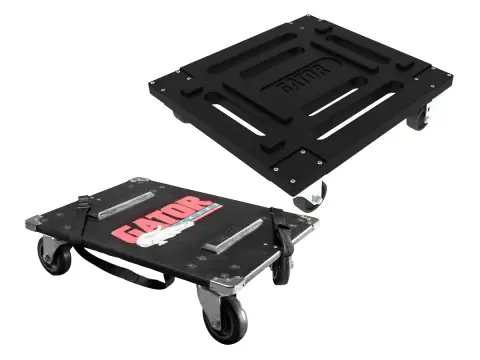
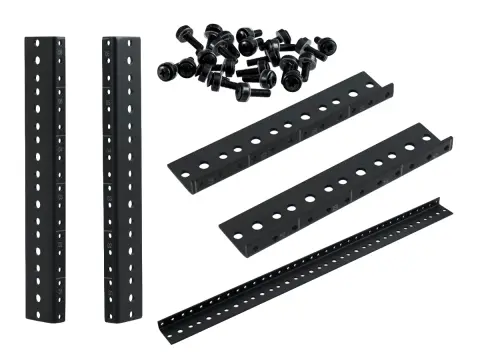
Gator Rackworks Rack Accessories help organize, support, power, finish, and upgrade professional rack systems for audio, AV, IT, production, and other technical equipment. Shop rack drawers, shelves, panels, power distribution, caster kits, rails, screws, and other hardware based on the function your rack setup requires.
Gator Rackworks Accessories
Complete & Customize Your Rack System
Rack Storage & Support • Power & Mobility • Installation Hardware
Complete or upgrade your rack system with Gator Rackworks accessories for equipment storage, support, power distribution, mobility, organization, and installation.
Drawers & Shelves • Panels & Power Distribution • Caster Kits & Hardware
Start with the function you need, then confirm rack units, dimensions, load requirements, mounting compatibility, and installation needs.
Everything Needed to Complete Your Rack Gator Rackworks accessories provide storage, shelving, rack panels, power distribution, mobility, rack rails, screws, and installation hardware for building or upgrading professional rack systems.
Gator Rackworks
Drawers, Shelves, Panels, Power, Casters, and Hardware
Rackworks accessories turn a rack case into a finished working system. Add storage for the things that do not rack-mount, support for gear that does, blanking for the spaces in between, and the power, mobility, and hardware that hold it all together.
Accessory categories
Shop Gator Rackworks Accessories
Every category below is sized in rack units, the same way your equipment is. Start with the job you need done, then match the rack units and depth you have available.
Fit Rackworks Hardware to add rear support for heavy gear and keep spare screws on the shelf.
Selection guide
How to Choose Rackworks Accessories
Check the Rack Units You Have Free
Drawers, shelves, panels, and power strips all take up rack units of their own. Count the space left in the rack before deciding what goes in it, and remember a full rack leaves nothing for a future addition.
Check Depth, Not Just Height
A drawer or shelf can fit the rack units and still hit the back of a shallow case. Measure the usable depth behind your rails before ordering, and allow room for the cabling that has to run past it.
Think About Weight and Balance
Loaded drawers and shelves add weight, and weight high in the rack makes it less stable on wheels. Heavy items belong low, which matters as much for a rolling rack as it does for a static one.
Use Panels to Manage Airflow
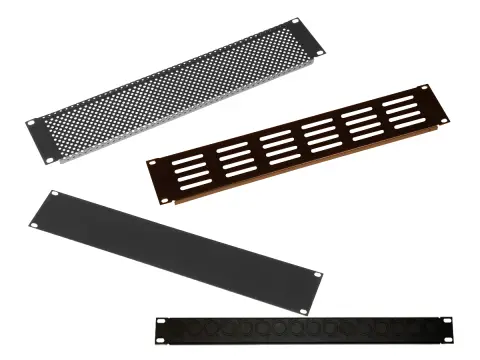
Open gaps let warm exhaust air circle back to equipment intakes. Blank panels close that path, and vented panels let air through where a component needs it, so panel choice is a cooling decision rather than a cosmetic one.
Support Deep Gear at the Back
Heavy or deep components should not hang from the front rails alone. Rear rails spread the load and keep both the rails and the equipment's own mounting ears from bending in transit.
Order Screws by the Job
Each rack unit takes four screws, so a build needs more than most people estimate. Buying the larger pack costs little and saves stopping halfway through an install to find spares.
Rack units and depth decide what fits. Weight, airflow, and access decide what makes the rack better to work with.
Gator Rack Accessory FAQs
Questions we get asked most often about fitting Rackworks accessories into a rack.
Will Rackworks accessories fit racks from other brands?
Rackworks accessories mount to standard 19-inch rack rails, which is the same spacing used across the industry, so they are not limited to Gator racks. What does vary is usable depth and the amount of clearance behind the rails, so check the depth of your case against the accessory before ordering. If you are unsure, send us the rack model and we can confirm.
Do I really need blank panels in the empty spaces?
They do more than tidy the front. Open gaps let hot exhaust air loop back around to equipment intakes, which raises running temperatures in a closed rack. Blanking those gaps keeps the airflow path going the right way, and it also keeps dust and stray hands away from cabling. Vented panels are the choice where you want air movement rather than a seal.
What is the difference between a drawer and a shelf?
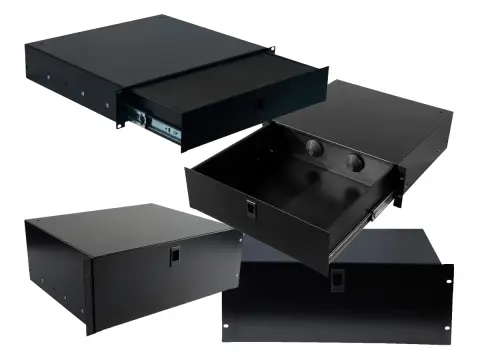
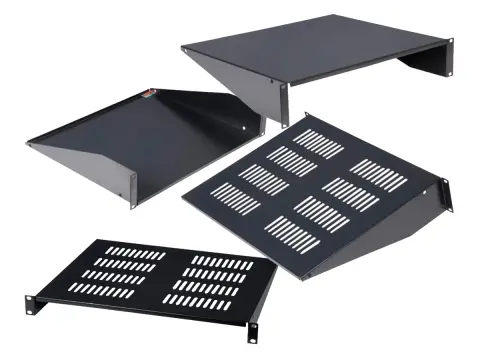
A drawer is enclosed storage that slides out, which suits loose items you want contained and out of sight. A shelf is an open platform that holds a piece of equipment in position, which suits anything you need to see, reach, or connect to while the rack is in use. Many builds use both.
How many rack screws should I order?
Plan on four screws for every rack unit you are mounting, then add a margin for the ones that get lost, dropped, or left in the last venue. Screw packs are inexpensive compared with the time lost stopping an install to hunt for spares, so the larger pack is usually the better buy for anything beyond a small rack.
Can I add casters to a rack I already own?
Often, yes. Caster kits and platforms let an existing rack be wheeled rather than carried, which is usually cheaper than replacing it with a rolling case. Confirm the mounting footprint against your rack base and check the loaded weight you will be moving. Tell us the rack model and the total weight and we can confirm the fit.
Can Specialty Cases help me plan a rack build?
Yes. Send the equipment list with rack units and depths, the rack or case you are building into, and how the finished rack travels. We can work out the accessories the build needs, flag anything that will not clear, and quote it as a package.
Authorized dealer support
Rack Build Support From an Authorized Gator Dealer
Specialty Cases has been specifying protective cases and rack systems since 1989. Send us the equipment and we will help you get the accessories right the first time.
Fit and Clearance Checks
Send your rack model and equipment depths and we can confirm what will clear before anything ships.
Stock and Quote Support
Request a quote for lead times and quantity pricing when you are outfitting more than one rack.
Alternatives When Stock Is Short
If a part is unavailable, we can suggest an equivalent that meets the same rack units, depth, and load.
Accessory comparison
Compare Rackworks Accessory Types
A quick view of what each category does and what to check before ordering.
Swipe horizontally to compare all options.
Rackworks accessory categories by purpose, what to check, and shopping path.
Accessory
What it does
Check before ordering
Shop
Drawers
Enclosed storage for cables, tools, adapters, and spares.
Free rack units, usable depth behind the rails, and loaded weight.
When power, storage, and supporting gear live in the rack, setup is opening the case rather than unpacking three of them.
Equipment That Lasts Longer
Rear support, managed airflow, and secured accessories reduce the wear that shortens the life of both the gear and the rack.
Fewer Surprises on Site
Planning accessories with the rack avoids the missing screw, the absent power strip, and the shelf that will not clear the back of the case.
Need Help With a Rack Build?
Send your equipment list with rack units and depths, the rack you are building into, and how it travels. We will work out what fits and quote the accessories as a package.