Use this guide when
- A fixed set of equipment
- A changing kit
- A simple user-shaped layout
- Bulk contents or existing packaging
items

Protective case planning guide
Choose the interior around equipment support, separation, access, and how often the contents change. Confirm the layout before settling on a case size.
Order, shipping, or return questions? Visit the Help Center.
Have these ready
Is this guide for you?
Common use cases
Compare the situations below and check the details that matter for your equipment and handling route.
Custom-cut foam with defined positions Include all models, weights, accessories, and removal points.
Adjustable dividers or modular organization Confirm adjustment range and support for every item.
Manufacturer-supplied configurable foam Check the foam format and remaining material around each item.
An empty case or suitable liner Confirm restraint and separation rather than assuming the shell alone is enough.
Selection details
| Your situation | What to compare | Before you choose |
|---|---|---|
| A fixed set of equipment | Custom-cut foam with defined positions | Include all models, weights, accessories, and removal points. |
| A changing kit | Adjustable dividers or modular organization | Confirm adjustment range and support for every item. |
| A simple user-shaped layout | Manufacturer-supplied configurable foam | Check the foam format and remaining material around each item. |
| Bulk contents or existing packaging | An empty case or suitable liner | Confirm restraint and separation rather than assuming the shell alone is enough. |
Step by step
Follow these steps before comparing final case configurations or requesting a quote.
Include equipment and accessories. Identify what must be visible or removed first.
Show screens, knobs, probes, connectors, and fragile edges in photos or drawings.
Fixed layouts support repeat packing and inventory checks. Adjustable layouts accommodate changing contents.
Confirm case model, interior dimensions, material, finger access, lid clearance, and any equipment-specific requirements before production.
Recommended starting points
Use these as starting points; confirm dimensions, interiors, handling, and model specifications before ordering.
Compare empty and foam-equipped options by model.
Browse shipping casesCompare organization for tools and instruments.
Browse utility casesSelection checklist
Have these details ready before comparing cases or requesting a quote.
Procurement support
Review quote requirements, approved terms, and vendor documents before submitting your order.
Include equipment details, quantity, destination, and delivery date. Purchase orders are subject to account approval.
Approved organizations may apply for Net 30 terms, subject to credit review.
Use the current business forms required for your vendor file.
Additional guidance: Organizational purchasing and preparing a quote request.
FAQs
For orders, shipping, and return policies, visit the Help Center.
No. The supplied foam may be configurable, layered, or pre-cut for a particular product. Read the exact interior description.
Often, an existing shell can be considered. Supply its exact model, usable dimensions, condition, and the new equipment list for review.
Ask to document the approved case and interior specification. Reorders should be checked against that specification and current component availability.
Send your equipment list, dimensions, accessories, quantity, intended use, and delivery date. We will help compare cases and interiors and prepare a quote.
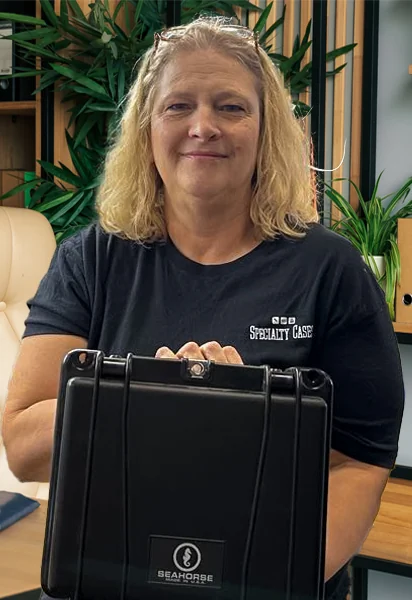
Tell us what you’re trying to protect (dimensions, weight, use-case) and we’ll help you pick the right case.
Checking availability…
Would you like us to check stock for a specific case?
Send the product and quantity. We’ll confirm availability, lead time, and practical alternatives.
Send a message and our team will follow up by email.